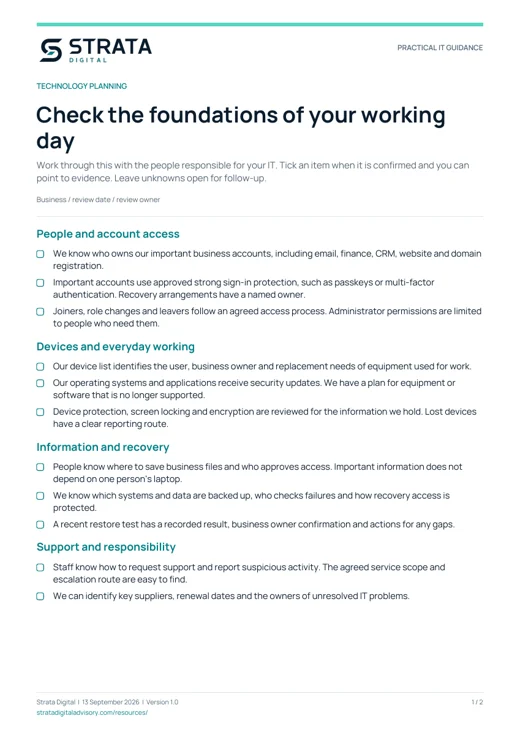
Check the foundations of your working day
Work through this with the people responsible for your IT. Tick an item when it is confirmed and you can point to evidence. Leave unknowns open for follow-up.
People and account access
- We know who owns our important business accounts, including email, finance, CRM, website and domain registration.
- Important accounts use approved strong sign-in protection, such as passkeys or multi-factor authentication. Recovery arrangements have a named owner.
- Joiners, role changes and leavers follow an agreed access process. Administrator permissions are limited to people who need them.
Devices and everyday working
- Our device list identifies the user, business owner and replacement needs of equipment used for work.
- Our operating systems and applications receive security updates. We have a plan for equipment or software that is no longer supported.
- Device protection, screen locking and encryption are reviewed for the information we hold. Lost devices have a clear reporting route.
Information and recovery
- People know where to save business files and who approves access. Important information does not depend on one person's laptop.
- We know which systems and data are backed up, who checks failures and how recovery access is protected.
- A recent restore test has a recorded result, business owner confirmation and actions for any gaps.
Support and responsibility
- Staff know how to request support and report suspicious activity. The agreed service scope and escalation route are easy to find.
- We can identify key suppliers, renewal dates and the owners of unresolved IT problems.
What to record
- Business / review date / review owner
The PDF includes space for your notes.
Turn the findings into a practical plan
An unticked box is a prompt to investigate, not an automatic failure. Decide what evidence is missing, who can provide it and what the business impact could be.
Choose the right next step
- If there is an active incident or suspected compromise, use your incident and support process immediately rather than saving it for a routine review.
- Discuss gaps affecting critical access, recoverability or supported software with the responsible IT owner. Agree the order of work from the actual risk and dependencies.
- Separate confirmed problems from questions that still need evidence. A supplier report, configuration check or restore record may resolve an uncertainty.
- Give each improvement one accountable owner, a realistic date and a clear way to confirm it is complete.
Your next three actions
For each action, record the finding or evidence needed, an owner, a due date and how you will confirm it is complete. The PDF includes three action boxes to use in your review.